

Introduction
The allure of a robot vacuum effortlessly gliding across your floors, swiftly tackling the day's mess, is undeniably enticing. Yet, if you're left pondering, "Why does my robot vacuum keep turning off?" fret not – we're here to unveil the reasons behind this perplexing behavior and guide you toward a solution.
How Does a Robot Vacuum Work?
|
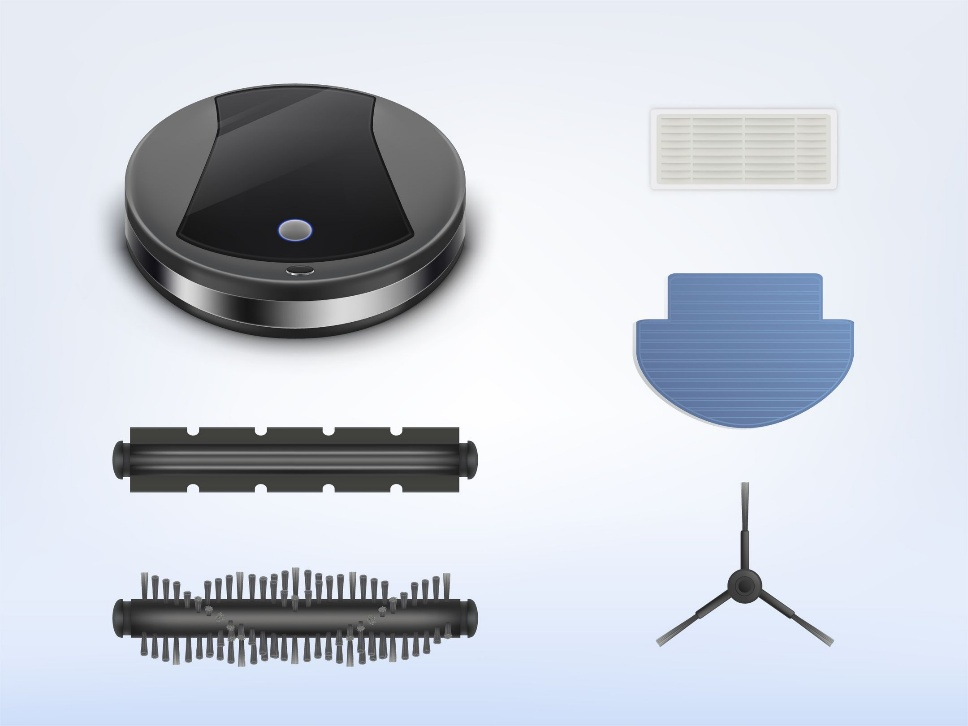
Before delving into the causes behind your robot vacuum's intermittent shutdowns, let's take a quick peek under the hood. Grasping the fundamental mechanics of these smart devices can illuminate potential issues.
|
 |
Several Reasons Why a Robot Vacuum Might Shut Off
Now, let's unravel the mystery behind your robot vacuum's sporadic shutdowns:
- Obstacle Interference: The pivotal role of sensors in guiding the robot vacuum can be hindered if they are obstructed or dirty, causing the vacuum to perceive nonexistent obstacles and leading to sudden stops.
|
 |
How Can I Fix?
Resolving the shutdown issue involves a bit of troubleshooting. Here are practical solutions:
- Clean Sensors: Ensure sensors are clean and free from obstructions. Gently wipe them with a soft, dry cloth to maintain optimal functionality.
- Untangle Brushes and Rollers:** Regularly check and clean brushes and rollers. Remove any entangled debris to allow for smooth movement.
- Allow Cooling Time:** If the vacuum tends to overheat, consider spacing out cleaning sessions to allow the motor to cool down adequately.
- Battery Maintenance:** Keep an eye on the battery status. If the vacuum consistently shuts off due to low battery, it might be time to consider replacing the battery.
- Update Software:** Check for software updates for your robot vacuum. Manufacturers often release updates to address performance issues and enhance functionality.
Suggestions for Extending the Lifespan of Robot Vacuum
Preserving the longevity of your robot vacuum involves a few proactive measures:
- Regular Maintenance:Perform routine checks and cleanings to prevent debris buildup that can lead to malfunctions.
- Optimal Charging: Allow the vacuum to complete its cleaning cycle before docking for charging. This ensures the battery is appropriately conditioned.
- Avoiding Excessive Use: While designed for convenience, avoid running the vacuum excessively to prevent wear and tear on components.
Conclusion
In the pursuit of a seamlessly clean home, understanding and addressing the peculiarities of your robot vacuum are essential. If you've ever questioned, "Why does my robot vacuum keep turning off?" follow our troubleshooting guide for uninterrupted cleaning sessions. At Spair, we believe in delivering more than smart devices – we provide reliable companions for your home. Our commitment to innovation and quality shines through in every robot vacuum we create. Remember, a well-maintained robot vacuum is not merely a gadget; it's a dependable member of your household, ensuring your floors stay effortlessly clean. Happy cleaning!
Post time: 2025-08-29 11:38:27